
Home
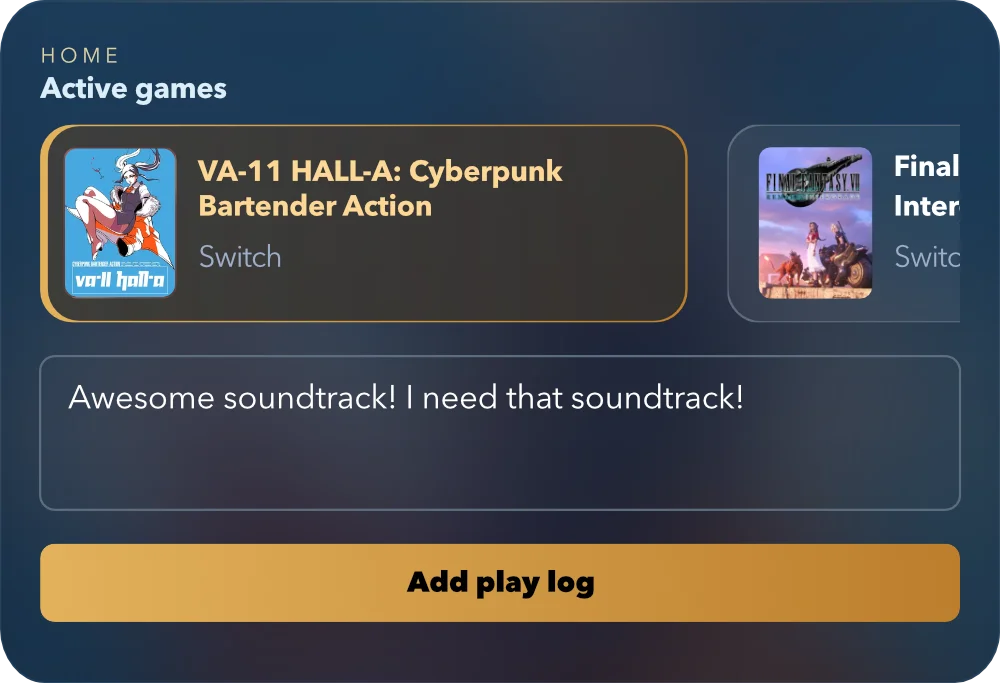
Your current games get the cozy front seat. Switch between active games and tuck away quick notes before the little moments wander off.
- Active game switcher
- Quick play logs
- Recent moments
Open-source local-first app for your games
MioLog is an open-source app for tracking your shelf, keeping play notes, drafting reviews on-device, and choosing the next game without turning your backlog into homework.
Open source · Free · Offline-first · No account · Your data stays yours

Tour
MioLog is built around everyday play: pick a backlog game, scan your shelf, keep session notes, and revisit the little wins that made the year yours.
Your current games get the cozy front seat. Switch between active games and tuck away quick notes before the little moments wander off.

A cover-first shelf for the whole pile: backlog, finished games, paused adventures, and whatever is quietly waiting its turn.

Every game gets its own little page: status, metadata, time, review, and the play-log trail that makes it yours.

When the shelf stares back, Mio can suggest a few games that fit today, with reasons built from your own local library.

Look back at a year of finished games, favorite platforms, play time, and ratings, then turn it into a shareable card.
Try it
Install
MioLog works in the browser, but it feels best when installed. Add it to your home screen for the full app-like experience.
On desktop, keep MioLog pinned in your browser or install it from Chrome, Safari, or another supported browser.
Open source
The MioLog app is licensed under the AGPL, so you can inspect how local data, backups, sync, recommendations, and optional review drafting work.
View MioLog on GitHubAlso from MioLog
An anime-focused sister app for keeping your watchlist, tracking episode progress, and saving the reactions that made each story memorable. Free, open source, local-first, and no account required.
Episode progress · Reaction journal · Local-first

Mio Server
Mio Server is free, open source, and ready to self-host. Use it when you want optional sync across devices or server-backed review drafting.
View Mio Server on GitHub